FREE AI LABEL REMOVER · PHOTOS & VIDEOS
TikTok AI
label remover.
Let us work our magic. Clean hidden AI tags from your photos and videos before you post. Free, private and no quality loss.
Same picture.
Same sound.
Still yours.
Enable JavaScript to inspect and clean a video locally.
One less thing
on your video.
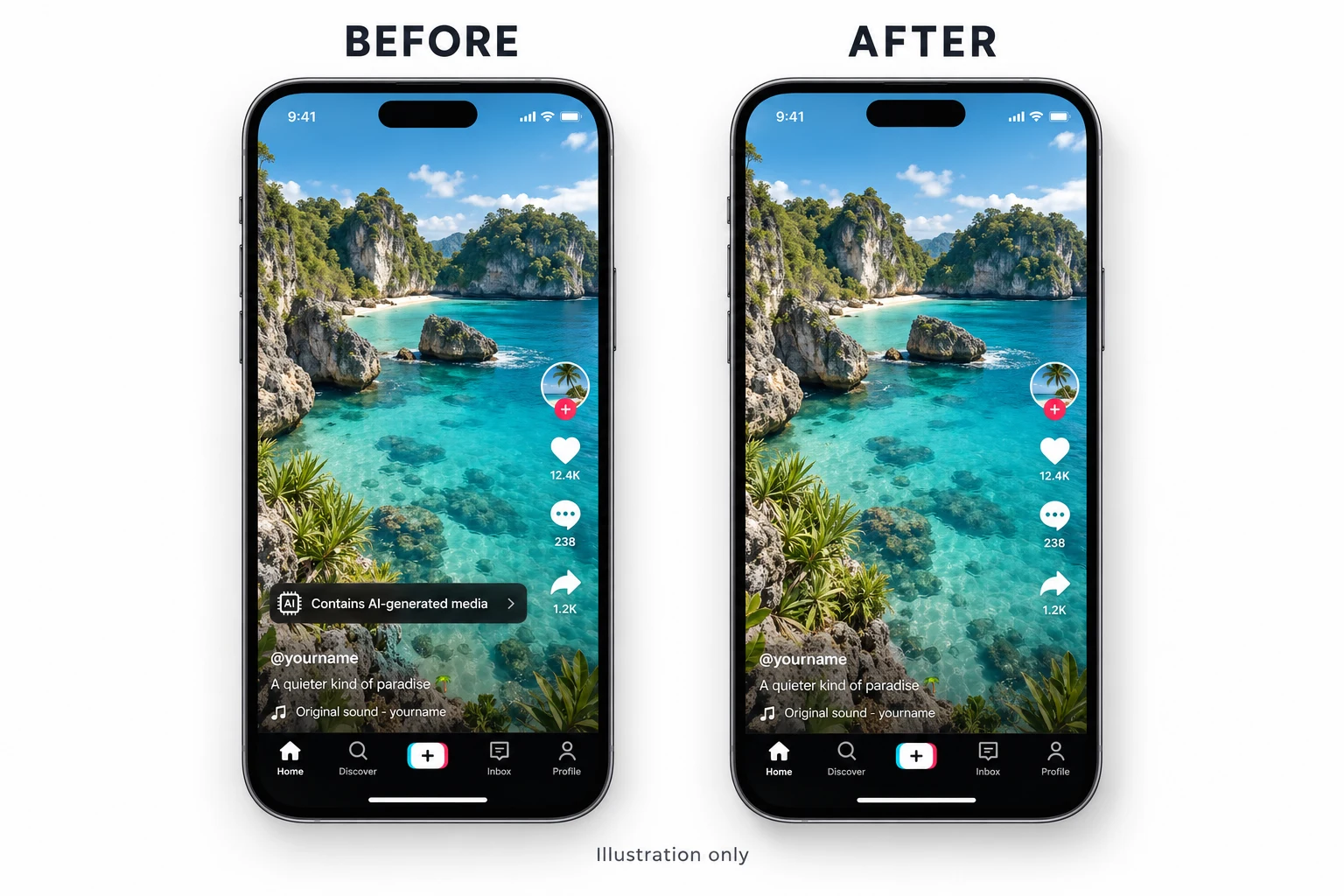
A look at the label you came here for.
Designed illustration, not a tested TikTok result. Platform labels may still appear.
In. Clean. Out.
Choose your file
A photo or video, straight from your device.
Give it a clean
Let us work our magic on hidden AI tags, then check your clean copy.
Save & share
Download your copy. Keep creating.
Before you go.
How do I remove AI tags from a video before uploading to TikTok?
Choose your original MP4 or MOV above, select Clean my video, then download the verified copy. AI Label Off removes supported hidden AI tags without changing the picture or sound.
Why does TikTok say “contains AI-generated media”?
TikTok may identify AI-generated or significantly edited content using its own tools and attached Content Credentials. Cleaning the file does not control every signal TikTok uses.
Can I remove the AI-generated label from an existing TikTok post?
This tool prepares a new file before upload. It cannot change an existing post, and TikTok says its automatically applied AI label cannot be removed from that post.
Is this TikTok AI label remover safe to use?
Your selected videos and photos are processed on your device. We do not upload, view or store them. A separate cleaned copy is created and checked before download.
Will cleaning reduce my video quality?
No re-encoding is used. The cleaner verifies that the video and audio data outside the supported edits stays unchanged.
Which files can I clean?
Use MP4, MOV or M4V videos up to 500 MB, or JPEG and PNG photos up to 30 MB. Unsupported files receive a clear message.